Email remains one of the most powerful tools for business and personal communication. It’s fast, reliable, and cost-effective. Yet, even well-crafted emails sometimes miss the inbox and end up in the spam or junk folder. This not only hurts engagement but can also damage credibility and revenue.
Understanding why emails get flagged as spam and how to prevent it is essential for anyone who sends professional emails.
Why Emails End Up in Spam
Email Service Providers (ESPs) like Gmail, Outlook, and Yahoo use advanced filtering algorithms. These systems analyze multiple factors before deciding whether an email belongs in the inbox, promotions, or spam.
Common Reasons:
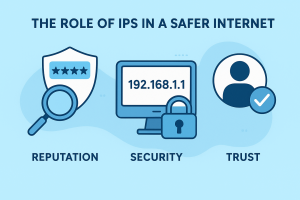
- Poor Sender or IP Reputation – Shared/bad IP history affects trust.
- Missing Email Authentication – Lack of SPF, DKIM, DMARC.
- Spammy Content – Trigger words, bad formatting, or too many links/images.
- High Bounce Rates – Outdated or invalid email addresses.
- User Complaints/Low Engagement – Marked as spam or ignored often.
- Blacklisted IPs/Domains – Listed on Spamhaus, Barracuda, etc.
- Suspicious Links/Attachments – Unsafe URLs or risky files.
The Process to Keep Emails Out of Spam
Improving deliverability isn’t guesswork — it follows a clear process. Here’s a step-by-step roadmap:
Step 1: Authenticate Your Emails
- Set up SPF, DKIM, DMARC records for your domain.
- Verify DNS settings to ensure ESPs trust your emails.
- DMARC also provides reports on unauthorized usage of your domain.
Step 2: Check and Monitor IP/Domain Reputation
- Use MxToolBox, or Cisco Talos to check your sending IP/domain health.
- If blacklisted, request removal from the blacklist (each has its own removal form).
- Avoid risky shared servers — consider dedicated IPs for higher volumes.
Step 3: Improve Content Quality
- Avoid spam trigger words (free money, buy now, urgent!!!).
- Balance text and images (don’t send image-only emails).
- Personalize subject lines and body content.
Step 4: Clean and Maintain Your Mailing List
- Use email verification tools (e.g., ZeroBounce, NeverBounce).
- Remove bounced, inactive, or fake addresses.
- Never purchase bulk email lists.
Step 5: Increase Positive Engagement
- Encourage subscribers to whitelist your email.
- Write subject lines that get opened without being clickbait.
- Add CTAs that encourage replies or clicks (ESP algorithms love engagement).
Step 6: Control Email Sending Volume
- Warm up new IPs/domains by gradually increasing sends.
- Spread large campaigns over time, not in one blast.
- Monitor daily/hourly sending limits set by ESPs.
Step 7: Test Before Sending
- Use Mail-Tester, GlockApps, or Litmus to check spam scores.
- Verify broken links, subject line spam rating, and domain reputation before launching.
Real-World Scenario
A company launches a promotional campaign to 50,000 subscribers. If the sending server has a good IP reputation and the emails are authenticated, most recipients see the email in their inbox. Without proper setup, even the same content could end up in the spam folder, reducing engagement and sales. By monitoring reputation, maintaining clean lists, and following email best practices, businesses can maximize the effectiveness of campaigns and maintain trust with customers.
Conclusion
Emails ending up in spam is not always about bad intent — even legitimate senders can be filtered due to poor authentication, weak IP reputation, spammy content, or low engagement. To improve inbox placement, businesses must follow a structured process: authenticate their emails, monitor sender reputation, create relevant and clean content, maintain a healthy mailing list, and test campaigns before sending. By doing so, companies not only protect their digital reputation but also ensure that their communication reaches the right audience, builds trust, and delivers results.
References & Further Reading
- RFC 5321 — Simple Mail Transfer Protocol (SMTP). IETF Datatracker
- RFC 7489 — Domain-based Message Authentication, Reporting & Conformance (DMARC). IETF Datatracker
- Spamhaus — Email and IP reputation blocklist resources. The Spamhaus Project